AI Christmas Card Generator with Your Photo
Skip the generic stock-photo card. Upload a picture of yourself or your crew, pick a card style, choose the greeting and get a one-of-a-kind Christmas card ready to send by message or post online.
1. Upload the photo for your card
2. Choose a card design
Greeting on the card
2 of 2 free generations left · watermarked preview · free tool · ads coming soon · how it works
Your result
AI Christmas card examples
Illustrated samples made with the same card pipeline. Each design mixes a style with a different greeting.
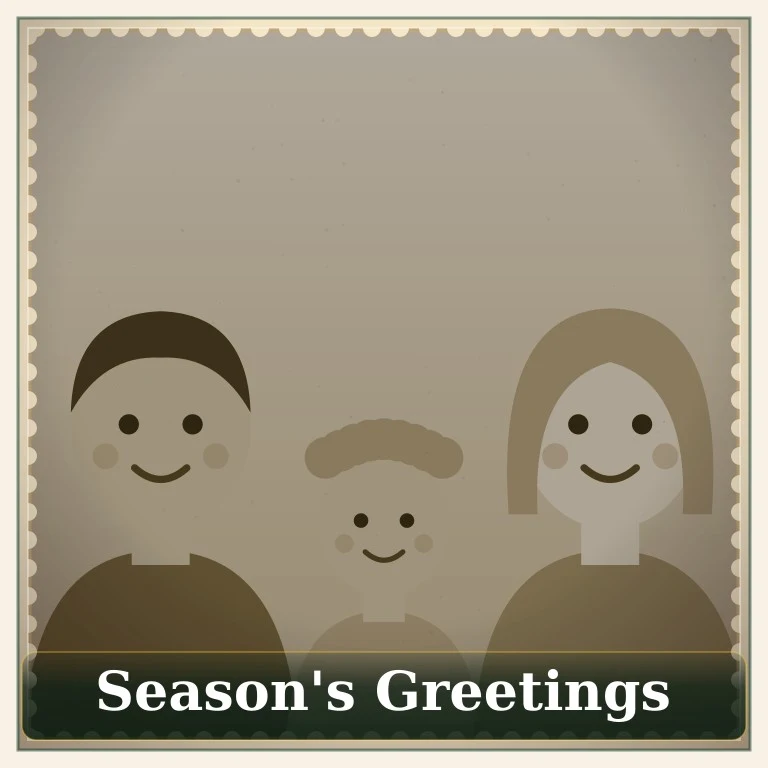



Four card designs, each with its own mood
- Classic Card — red and green with an ornament garland across the top. The safe choice for grandparents and coworkers.
- Vintage Card — muted sepia colors and a scalloped cream border, like a card from the 1950s.
- Ugly Sweater — a loud knit border for friends and group chats that appreciate a joke.
- Snowy Winter — soft snowfall and cool blue light, quiet and elegant.
Greetings you can put on the card
The generator offers Merry Christmas, Happy Holidays, Season's Greetings, Merry Christmas & Happy New Year, Peace, Love & Joy and Warmest Wishes. “Happy Holidays” and “Season's Greetings” are good picks when you are not sure whether someone celebrates Christmas.
What to write inside your Christmas card
Need words for the back of the card or the caption? Copy one of these and make it yours:
Family & relatives
“Wishing you a Christmas full of laughter, good food and the people you love. We can't wait to see you in the new year!”
Friends
“Thanks for another year of great memories. Merry Christmas — here's to many more!”
Coworkers
“Warm wishes for a relaxing holiday season and a bright, successful new year.”
Funny
“We tried to take a nice family photo. This is the best the AI could do. Merry Christmas!”
Faraway loved ones
“Miles apart but close at heart. Sending you all our love this Christmas.”
New Year combo
“Merry Christmas and a happy, healthy New Year from all of us.”
Sending your card: tips
- For WhatsApp, iMessage or email, the square preview is the right size — just attach the downloaded image.
- On Instagram or Facebook, post the card and put your longer message in the caption.
- Everyone in the picture should be fine with it being shared — ask before posting photos of friends or kids.
- Card for the whole family? Make it on the family Christmas photo page, which has a “From Our Family to Yours” greeting.
Prefer a photo without card text?
Use the main AI Christmas photo generator for festive portraits and profile pictures.
Open the photo generatorAI Christmas card FAQ
How is this different from a normal Christmas card maker?
Template card makers drop your photo into a fixed frame. Here your photo itself is restyled — lighting, colors and decorations change to match the card style — and the greeting is added on top.
Can I choose the text on the card?
Yes. Pick one of the ready-made greetings in the generator. Longer personal messages, like the ideas on this page, can go in your message or in the post caption when you share it.
What size is the card?
Free previews are square 768 × 768 pixel images, which work well for messages and social posts.
Can I get the card without a watermark?
Free previews include a watermark. The tool is free and may be supported by ads (coming soon). Optional credits for watermark-free downloads may appear later.
Is the AI Christmas card generator free?
Yes — you get 2 free watermarked card generations with no sign-up. Ads (coming soon) are how we plan to keep it free; optional credits are secondary and not on sale yet.